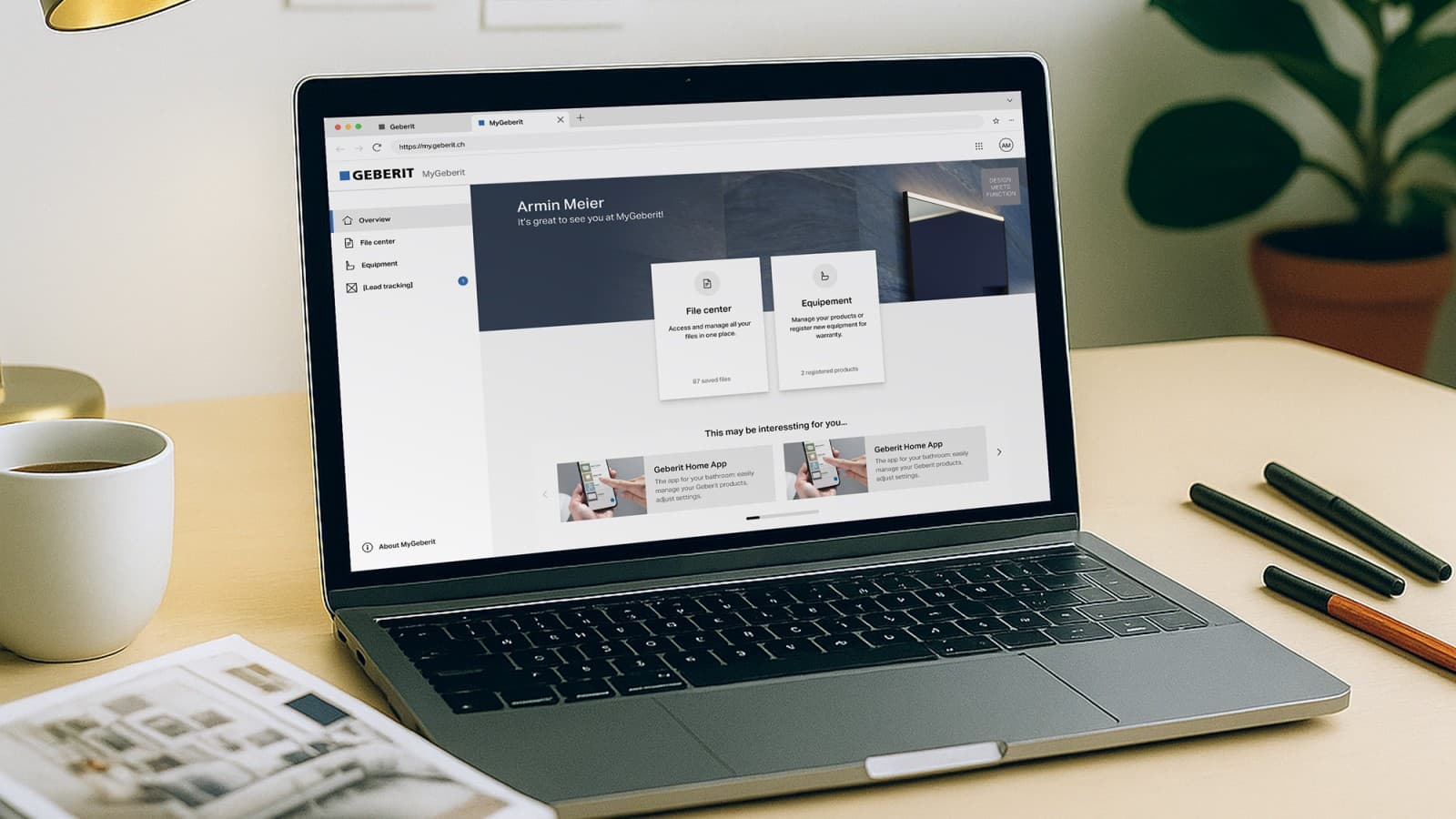
MyGeberit customer portal
All your projects, tools and product information in one convenient place.
Unlock the full potential of your Geberit experience with the MyGeberit customer portal. From bathroom planning to product configuration and maintenance, MyGeberit simplifies your tasks and keeps everything you need right at your fingertips.
Log in to your existing account or create one today to access MyGeberit.
Customer Portal & Geberit ID: Frequently Asked Questions 1. General
What is a Geberit ID?
A Geberit ID is your personal login that gives you access to Geberit digital platforms with a single set of credentials, such as the MyGeberit customer portal, and selected other Geberit digital tools and calculators.
Depending on the service, a Geberit ID may be required either to access the platform or to use extended functionalities.
Why do I need a Geberit ID?
A Geberit ID ensures secure, personalised access to Geberit digital services and allows Geberit to protect your personal data and manage access rights correctly.
What are the benefits of a Geberit ID?
A Geberit ID gives you one central, secure login for Geberit’s digital services. Instead of managing multiple accounts, you can access relevant platforms, tools, and services with a single set of credentials.
Depending on your role and usage, this means easier access, a more consistent experience across platforms, and faster interaction with Geberit’s digital offerings.
2. Account Registration
Where can I create a Geberit ID?
You can register for a Geberit ID via the MyGeberit customer portal or through supported Geberit websites and digital tools.
Who can register for a Geberit ID?
Both private individuals and professional users can register for a Geberit ID. During registration, you must select your user type to receive the appropriate access.
Why can Geberit ID access differ between users?
Although everyone uses a Geberit ID, the available features and services can differ depending on the user type selected during registration (for example, private individual or professional user) and the platforms being used.
Access is tailored to ensure that users only see content, tools, and services relevant to their role and relationship with Geberit. This helps keep data secure while providing a more efficient and personalised daily experience.
What information is required to create a Geberit ID?
- Private users: first name, last name, email address, password, country, and language
- Professional users: first name, last name, email address, password, company details, country, and language
Some fields may be locked if your company is recognised as a Geberit partner.
Can I use the same email address for private and professional accounts?
No. An email address can only be linked to one user type. Separate email addresses are required for private and professional accounts.
Can I change my user type after registration?
In some cases, yes. End users may be able to upgrade to a professional account via their profile. Existing customers and professional users cannot change their user type and must create a new account using a different email address if they require access to other services.
3. Account Activation
Do I need to activate my Geberit ID?
Yes. After registration, you must activate your account using the activation code sent to your registered email address.
I did not receive my activation email. What should I do?
First, check your spam or junk folder. If the email is not there, try signing in again or registering again with the same email address to request a new activation code.
If you still cannot find the email, your firewall or email provider may be blocking it.
Add the Geberit sender address noreply.ciam@geberit.com to your contacts or safelist, then request a new password reset email.
How long is the activation code valid?
The activation code is valid for 10 minutes. If it expires, you must request a new activation email.
What happens if I don’t activate my account?
Accounts that are not activated within 24 hours are automatically deleted. You will need to register again.
Why are non-activated Geberit ID accounts automatically deleted?
Automatic deletion helps protect personal data, prevents misuse of unverified email addresses, and ensures compliance with data protection and security requirements.
Can an automatically deleted account be restored?
No. Once an account has been automatically deleted, it cannot be restored. You must register again.
4. Login & Authentication
How do I log in with my Geberit ID?
You can log in using your email address and password, or by using a supported social login provider.
Which social login providers are supported?
Geberit ID supports login via Google, Apple, Facebook, and LinkedIn.
Can I use both password login and social login?
Yes. Depending on availability, you may use either method. Your original password remains valid, and you can also log in using the linked social login, as long as both are connected to the same email address.
Why can’t I log in even though my email and password are correct?
This can happen if your account is not yet activated, has been deleted due to inactivity, if you are using a different login method than the one you registered with, or if your account has been temporarily blocked after multiple failed login attempts with an incorrect email or password.
In the case of a temporary block, please wait a short time and try again. If the issue continues, please reset your password or contact customer support.
5. Password & Account Recovery
I forgot my password. What should I do?
Click “Forgot password” on the login page, enter your email address, and follow the instructions in the password reset email.
I did not receive the password reset email. What should I do?
Check your spam or junk folder. If you still cannot find the email, your firewall or email provider may be blocking it.
Add the Geberit noreply.ciam@geberit.com to your contacts or safelist, then request a new password reset email.
Why do password reset links expire?
For security reasons, password reset links are time-limited to prevent unauthorised access.
6. Account Management
How can I delete my account?
You can delete your account in the profile management section. Please be aware that this action is permanent and will delete all associated data, including projects and files.
Deleted accounts cannot be restored. Product registrations or warranty submissions that were already successfully completed remain stored in Geberit systems and stay valid; they are not deleted or cancelled as a result of the account deletion.
Can I change the email address linked to my Geberit ID?
No. For data protection and identity reasons, the email address linked to a Geberit ID cannot be changed. If you want to use a different email address, you must create a new Geberit ID.
Why are some fields in my account locked?
Some fields are locked if your company is recognised as a Geberit partner. These fields are managed centrally and cannot be edited individually.
If any of the displayed information is incorrect or needs to be updated, please contact us so we can review and adjust the data for you.
7. Data Protection & Security
Can inactive Geberit ID accounts be deleted?
Yes. To comply with data protection requirements, Geberit may delete user accounts that remain inactive for an extended period of time. Accounts that are not activated within the defined timeframe are also automatically deleted. Depending on applicable legal requirements, users may be informed by email before an account is deleted.
Does deleting my Geberit ID also delete my product registrations or warranties?
Deleting your Geberit ID removes your login account, personal profile data, and any saved files associated with that account, and therefore also removes your access to the overview and self‑management.
However, any product registrations or warranty submissions that were already successfully submitted remain stored in Geberit systems and stay valid; they are not deleted, cancelled, or invalidated as a result of the account deletion.
How is my personal data protected?
Personal data is processed in accordance with applicable data protection regulations.
8. Support
Who can I contact if I cannot access my Geberit ID?
If you are unable to access your account after using the available recovery options, please contact Geberit support via the official contact channels.